Log into ClubsBuddy.
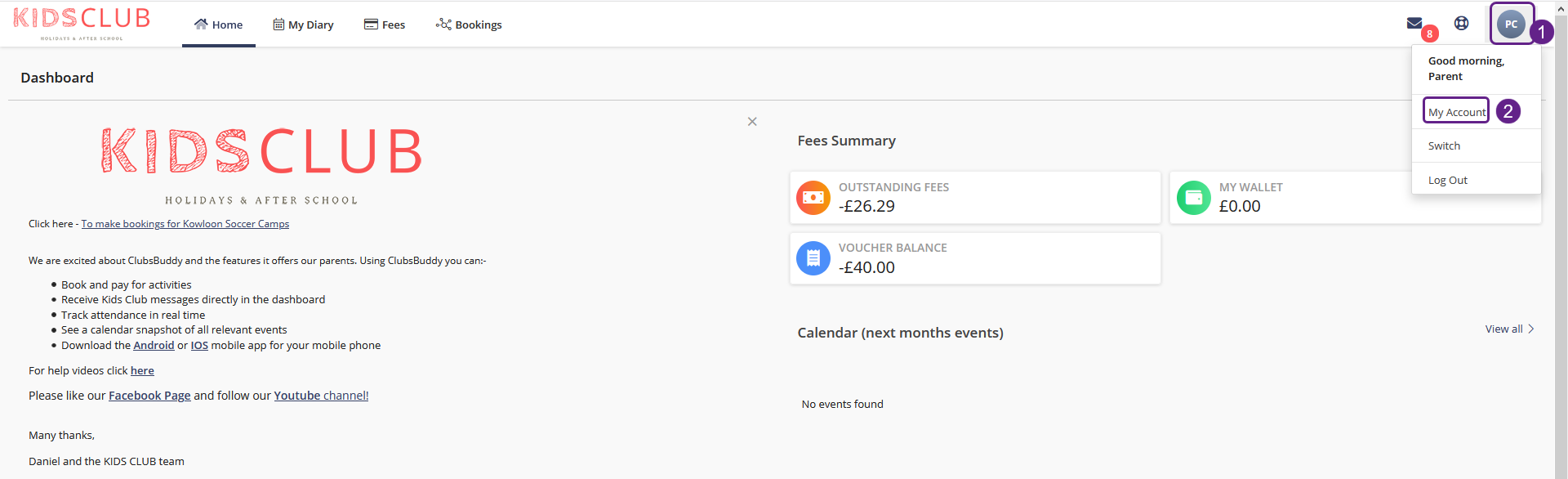
- Click the blue button with your initials on
- Click My Account
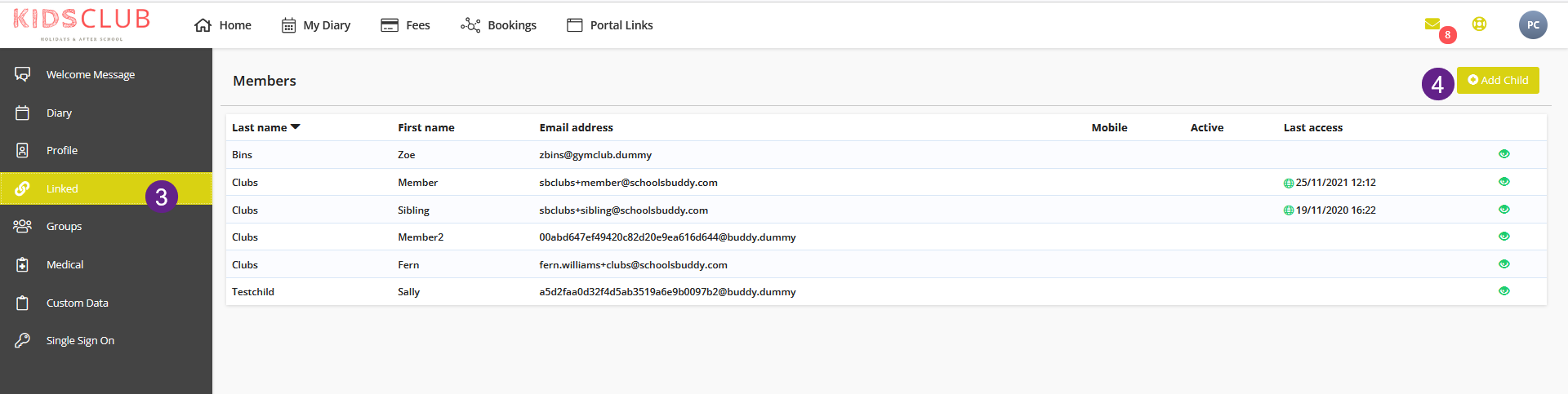
- Clicked the Linked tab, which will show details of the current child/ren
- Click + Add Child
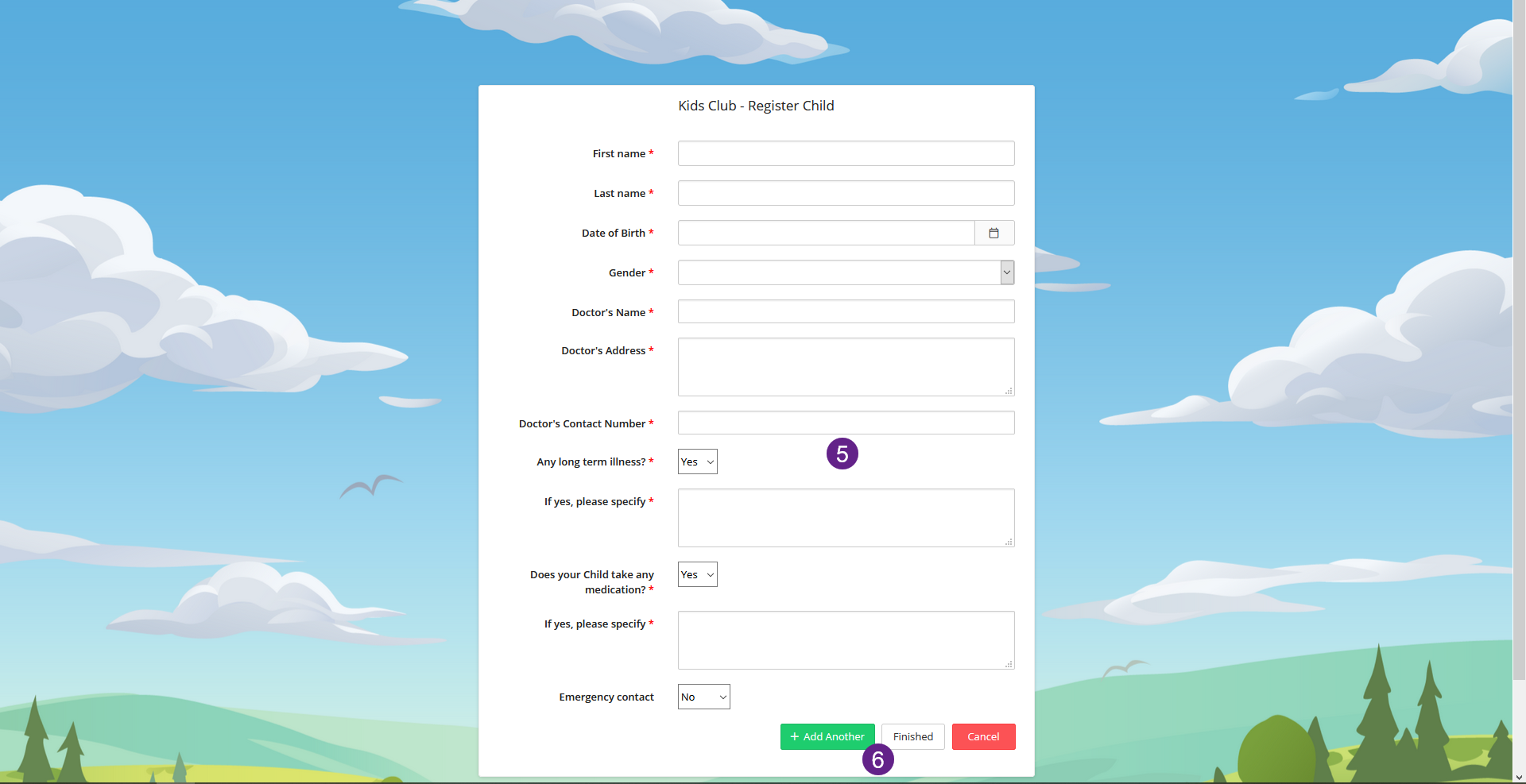
- Enter the details in the form
- Click on Add Another to add another child or click on Finished if there are no more children to add.